
One saved project. A useful starting point for your assistant.
MCP connects a compatible AI client to Knotpad. It gives the assistant tools to read the project context and work with tasks, using the workspace access you allow.
How to connect your assistantRead before choosing the work
Ask the assistant to read the brief and recent delivery log before it starts. It can use recorded notes and task state to understand what is complete and what still needs a decision.
Record the work as it happens
A connected assistant can claim tasks, update progress and append results to project notes. Give it a clear instruction to record outcomes and uncertainty, so a later session has useful context to read.
Keep a handoff, close work in batches
Each project folder has an agent notes page the assistant maintains for the next session: current state, what to read first and the next step. At the end of a session it can mark a whole list of finished tasks done in one call, with a note on each; a title that matches more than one task is reported, not guessed.
Start with the connection in your app
The desktop MCP settings include a setup prompt for your running Knotpad app. Paste it into a compatible client, restart when requested, and approve the expected connection in Knotpad. Claude Desktop Chat and Cowork have a dedicated setup action.
Local and remote access have different uses
The free desktop workspace includes local MCP on your machine. Personal Pro and Team Pro include remote access through cloud setup. Changing clients does not transfer private chat history; continuity comes from the project record you saved.
Try it in your project.
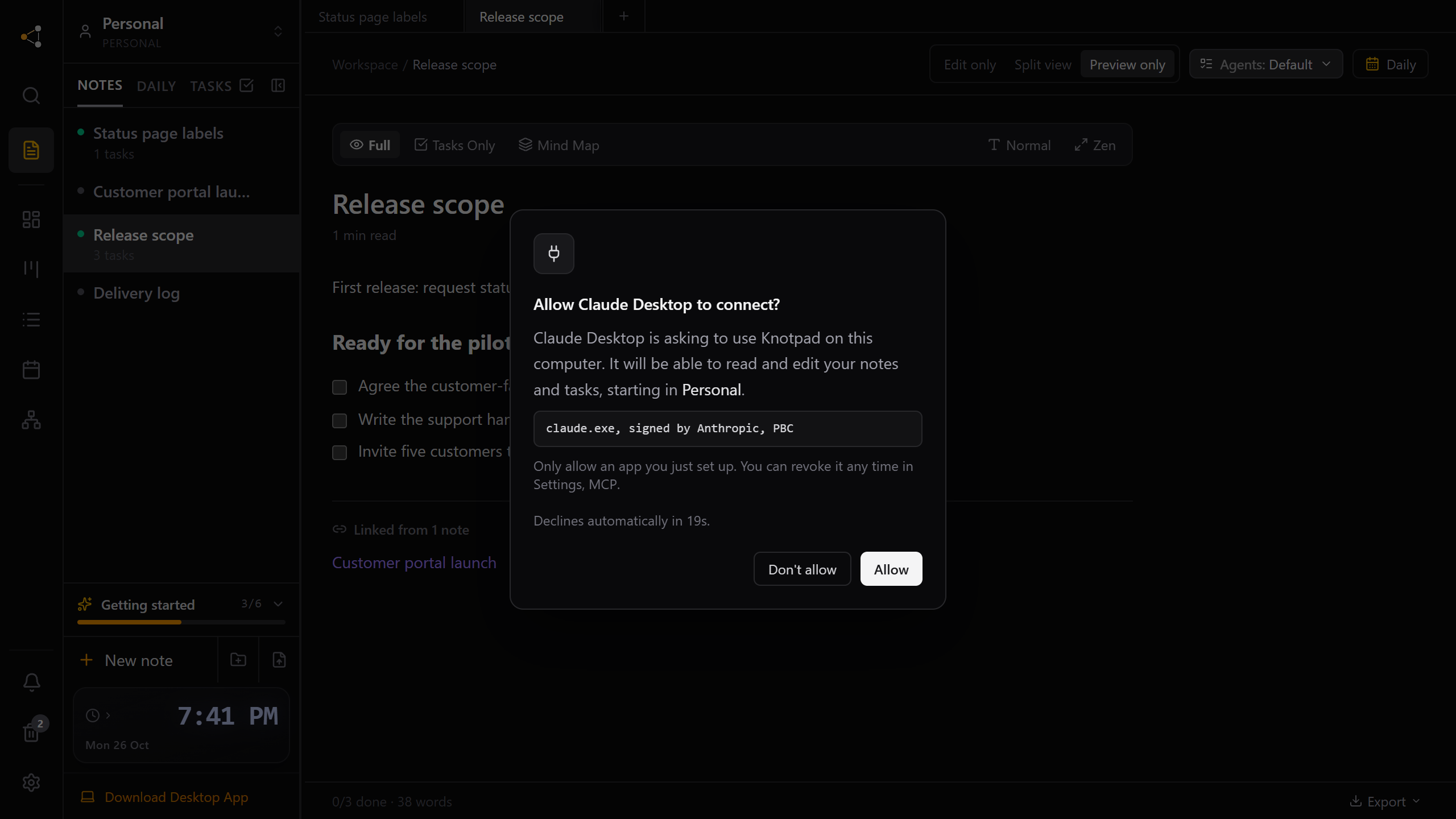
Choose which AI apps can open your project notes
On the Knotpad desktop app, each AI app asks once and you click Allow. No token to paste, and the approval belongs to that program.
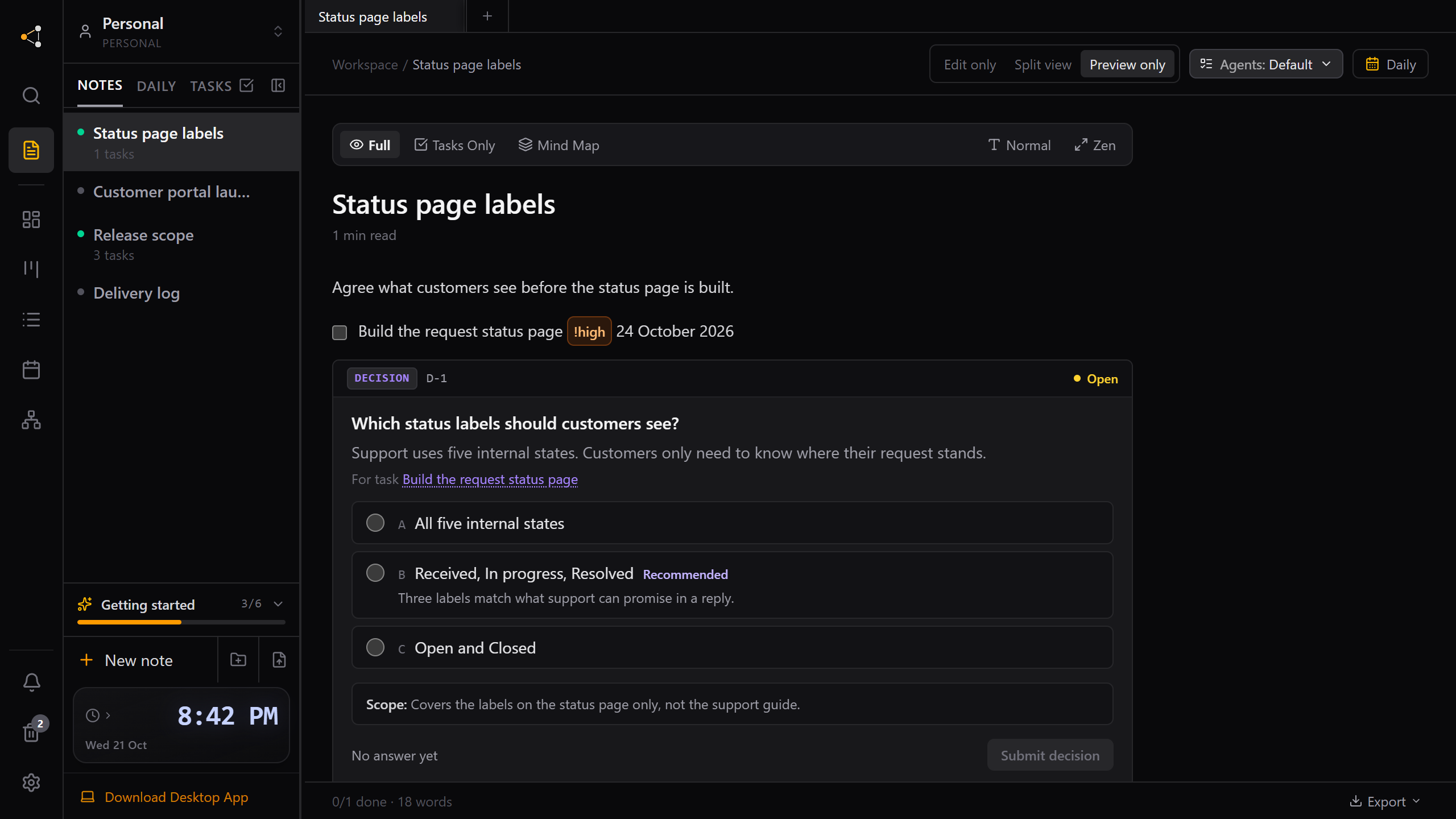
Answer your AI assistant's questions in the project, not the chat
When an assistant needs a choice from you, it can leave a decision card in the note. Answer when you are ready, and the next session picks it up.
Give your next session a better starting point.
Use Knotpad in your browser on Mac or Windows, or start with the free Windows app. Add your brief, turn the plan into tasks, and connect your assistant when you’re ready.
Full Personal Pro access in your browser.
No card required.