
Available now
Version 2.0 is here.
Your notes, tasks and AI assistant now reach the rest of the work: run the meeting, write it up, present it and share it, from the same place. Everything you had stays free.
Free local workspace. No account required.
Full Personal Pro access in your browser.
No card required.
Full Personal Pro access in your browser.
No card required.
On Windows, the app is free with no account. Get the free Windows app

Meetings that write themselves up
Record the call, read the transcript as you talk, and your AI assistant writes it up as a note with its tasks.
- A live transcript, with you and the other side of the call kept apart.
- Write this up: one click hands the transcript to your assistant.
- Transcripts are made on your computer, never in the cloud.
- FreeUnlimited recording in the Windows app, and 2 transcripts a week with a free account. Calls of 5 minutes or less don't count.
- ProEvery meeting transcribed, and recording in the browser and on your phone.

Present from your notes
Show a PDF or any note on a projector or a shared screen, while your own window keeps your speaker notes, the next slide and a timer.
- Speaker notes never reach the audience, or a shared link.
- Slide notes in themes and layouts, with diagrams and charts.
- With Pro, a brand kit puts your logo, colours and fonts on every themed deck.
- FreePresent PDFs and notes, with your speaker notes.
- ProYour assistant makes slides from your notes.

A technical document for every project
Point Knotpad at a GitHub repo, a folder or files you upload, and your AI assistant writes the document and brings it up to date when the files change.
- Versions, each with what changed, and a PDF to send.
- Knotpad reads only the repos and files you choose, and never changes them.
- A folder on your computer needs the Windows app. GitHub and uploads work anywhere.
- ProThe Wiki, from GitHub, uploaded files or a folder on your computer.
Share notes, slides and meetings with a link
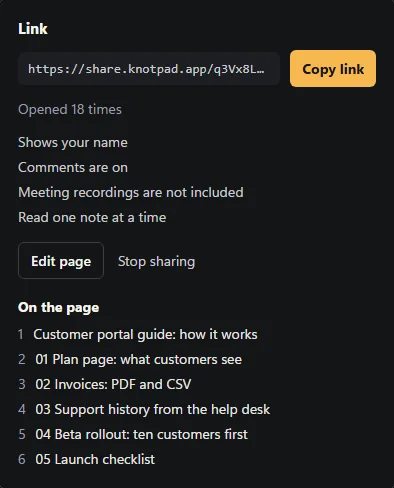
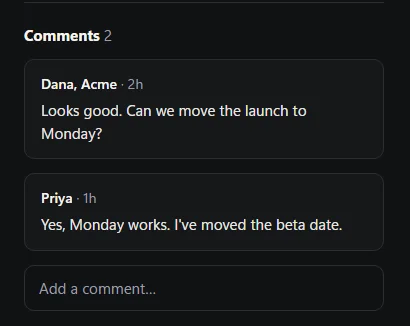
Send a note to a client or a teammate as a page they can read and comment on, with no account.
- Readers comment on the page; you read and answer in Knotpad.
- Put several notes behind one link, as a shared page with its own contents.
- Pause or stop a link at any time.
- ProSharing is part of Pro.

Your calendar, next to your notes
See today's events in Knotpad and start a meeting from any of them, with its notes ready.
- Start a meeting from an event, with the project and notes chosen.
- Get ready for a meeting ahead from the same card.
- Add a task or a note to any day, straight from the calendar.
- FreeIncluded on every plan.

Subtasks under the work they belong to
Break a task into steps that sit under it on the board, in List and on the task page, and the parent counts what is done.
- The same count on the board and in List.
- Open a subtask like any other task, with its own status and date.
- FreeIncluded on every plan.

A new layout, and a light theme
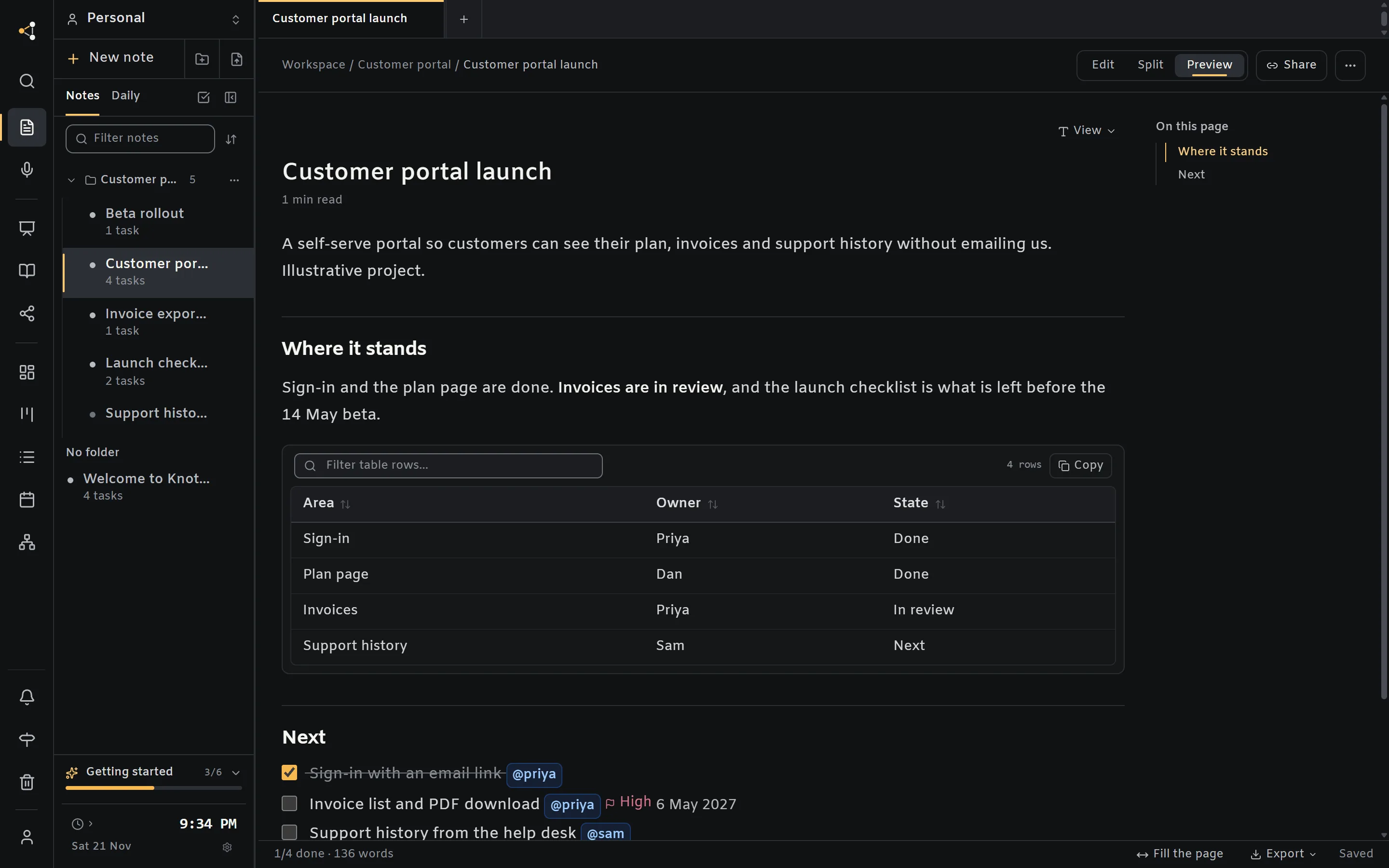
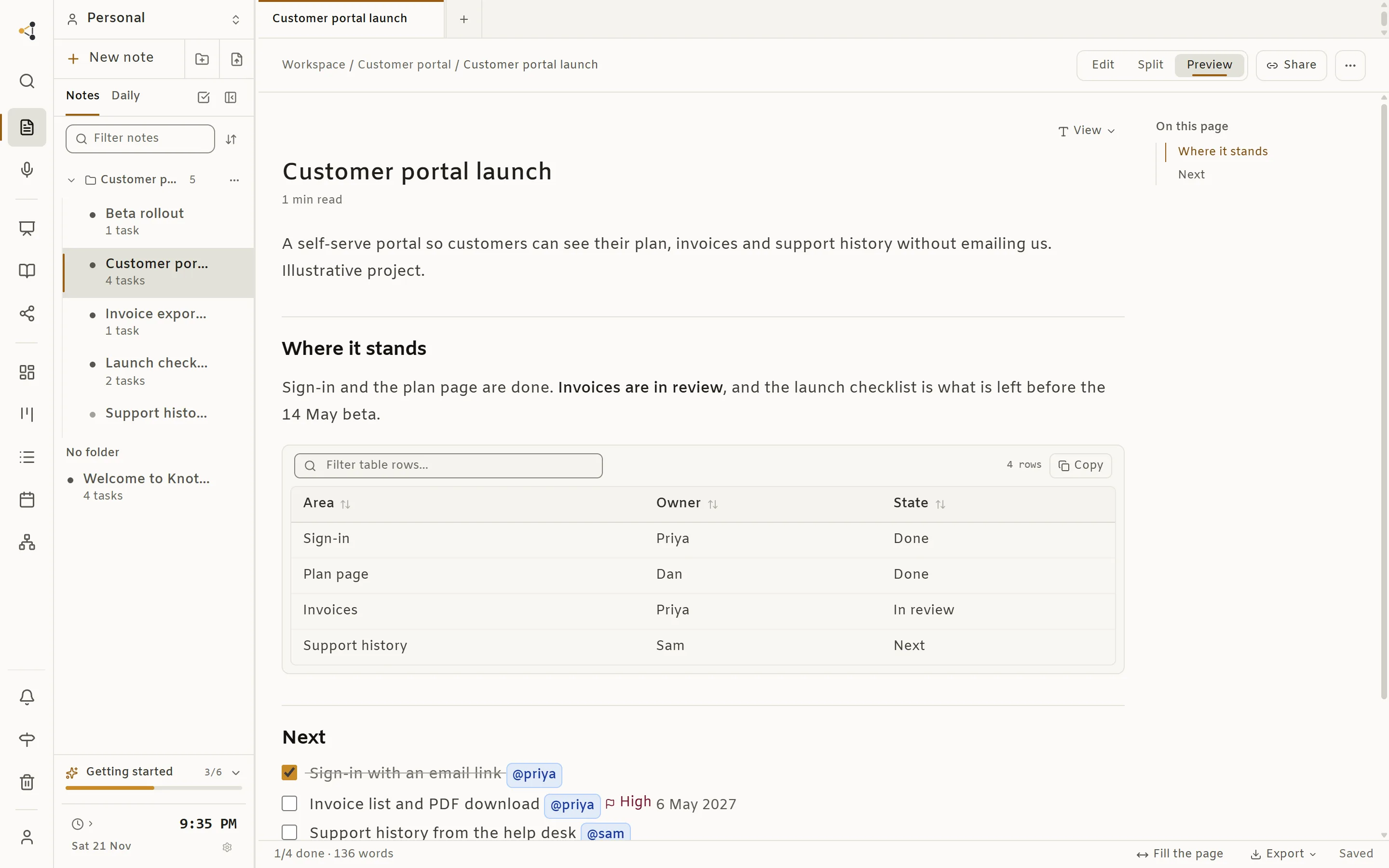
The views sit in three groups down the side: what you write, what you make from it, and how you see the work.
- Dark, light, or match your system.
- Ctrl+1 to 8 jumps between views.
- Settings save on their own.
- FreeIncluded on every plan.
And a lot more.
- When an AI agent needs your call, it leaves a decision card. The Decisions list gathers every one.
- Files and pictures inside your notes, encrypted on your device before they upload.
- Live task, progress, chart and roadmap blocks inside a note.
- A smaller MCP tool list, so assistants pick the right tool faster.
What stays free, and what Pro adds.
Everything that was free in 1.9 stays free in 2.0. Pro is for the work you hand to other people: every meeting transcribed, slides made from your notes, and links they can open. Try Pro free for 14 days, with no card.
| In version 2.0 | Free | Pro |
|---|---|---|
| Notes, tasks, Kanban, List, Calendar and Graph | Yes | Yes |
| Local MCP for your AI assistant | Yes | Yes |
| Wiki: a technical document for each project | No | Yes |
| Meeting recording | In the Windows app | Also in the browser and on your phone |
| Meeting transcripts | 2 a week | Every meeting |
| Present notes and PDFs | Yes | Yes |
| Slides made from your notes | No | Yes |
| Share notes, slides and meetings with a link | No | Yes |
| Sync and the web app | This computer | Every device |
| Cloud MCP for claude.ai and ChatGPT | No | Yes |
Already using Knotpad?
On the web
You are on 2.0 the next time you open knotpad.app. Your notes, tasks and settings are where you left them.
On Windows
The Microsoft Store updates Knotpad for you. Your local workspace moves to 2.0 on the first start, and a short tour shows what changed.
On a Mac? The Mac desktop app is not offered for 2.0, so on a Mac you use Knotpad in your browser. Meetings are transcribed there too, with Pro (Experimental). A wiki can read a folder on your computer only in the Windows app; GitHub and uploads work anywhere.
Start with one project.
The Windows app is free, with no account. Or use Knotpad in your browser on any computer.
Free local workspace. No account required.
Full Personal Pro access in your browser.
No card required.
Full Personal Pro access in your browser.
No card required.
On Windows, the app is free with no account. Get the free Windows app